

Converting an Addon Domain to a Separate CPanel Account
CPanel users sometimes host multiple domains under a single account. While this may be convenient for accessing all of the domains from a single login, this configuration does limit how much you can customize the domain’s resources (including databases, FTP accounts, SSH access, etc.). Converting the Addon Domain to a separate account allows for more flexibility in managing the domain and its resources. Fortunately, WHM has a tool just for this purpose.
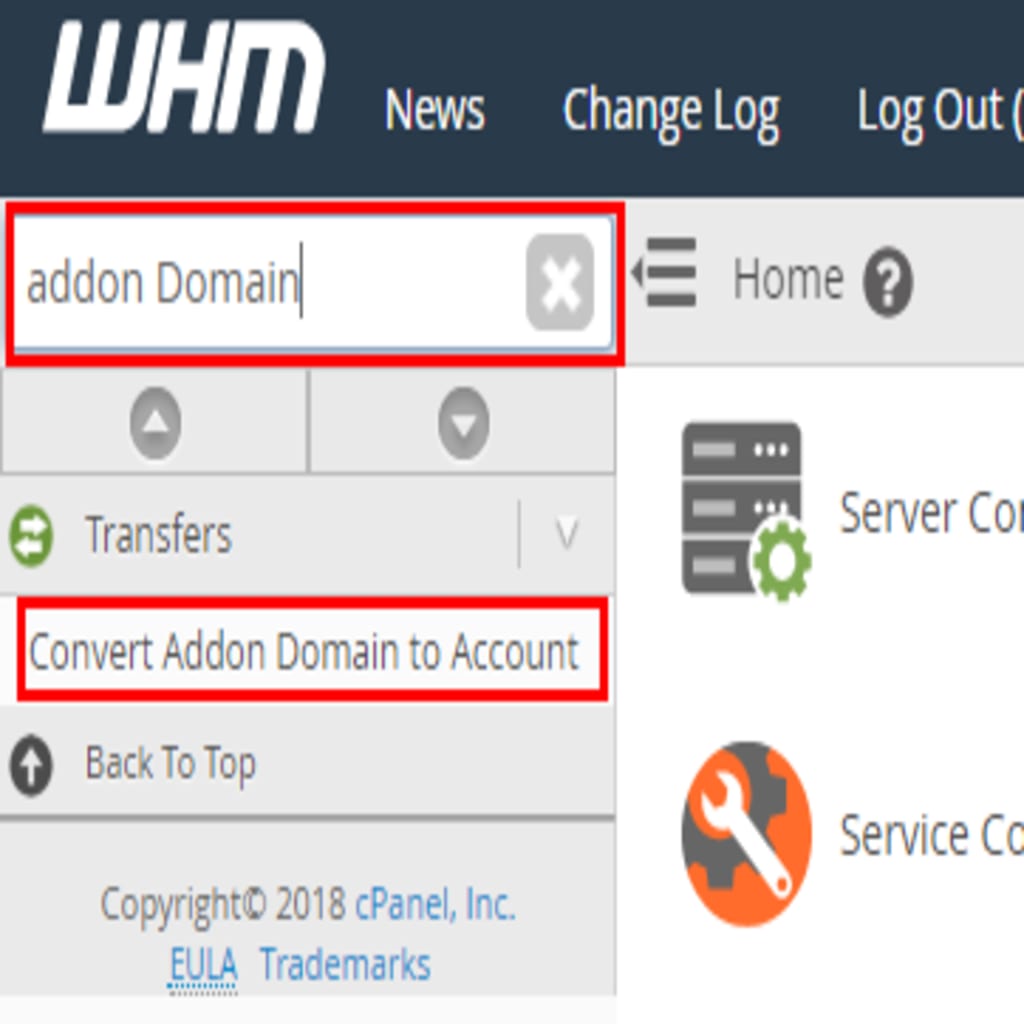
- From WHM, type “addon domain” in the search box in the upper left corner, then click Convert Addon Domain to Account.
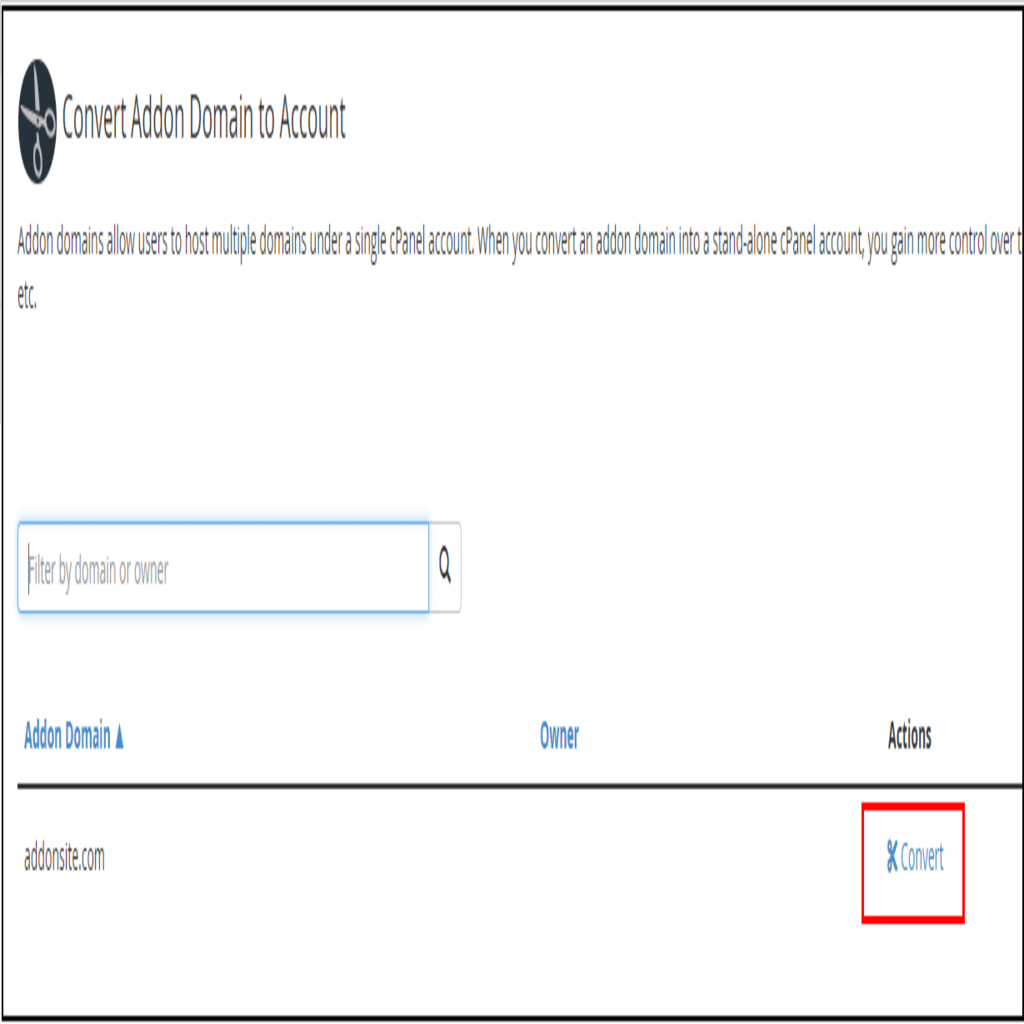
- Find the domain you want to convert, then click on the Convert button to the right of the domain name.
- Provide a username for the new account and select the components to migrate (these will mostly be pre-selected for you, but you can choose to modify the settings as needed). Click Start Conversion when complete.


- Once the conversion is complete, WHM will display the status as “done” or will identify any issues that caused the conversion to fail.

You can now manage the domain with a separate user account, allowing for control of databases, FTP accounts, SSH access and more, separate from the original account’s primary domain.
For additional information and details, see the cPanel documentation on converting addon domains at Converting an Addon Domain