


How to Update the Server Password in My.Liquidweb.com
In this article, we denote how to update your servers password in my.liquidweb.com. Liquid Web’s around-the-clock monitoring of your server works best when we also can log in to your server and proactively fix issues as they arise. If you change your server’s root or admin password without updating your account information through manage, then we only will be able to notify you of problems rather than attempting to fix them automatically.
First, open your browser and go to my.liquidweb.com. These login details are unique to your account.
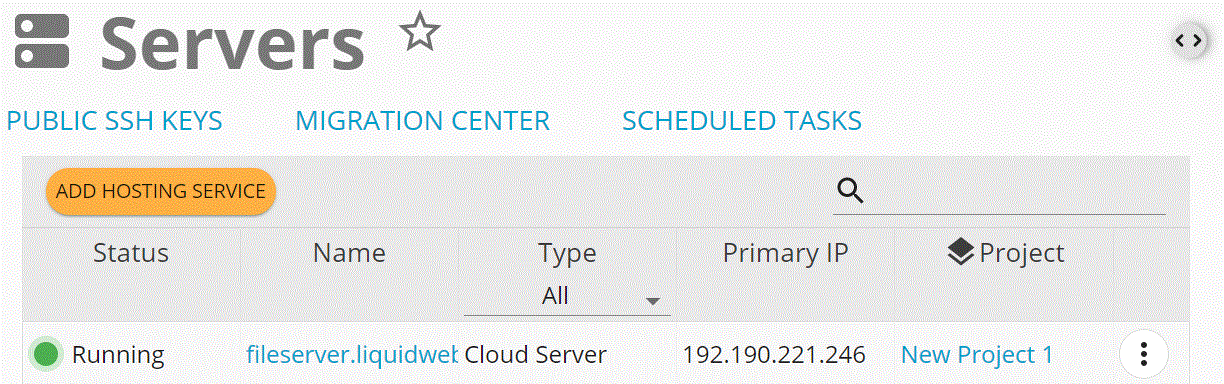
Once you are logged in to my.liquidweb, click on the servers icon.

Next, select the server you wish to update the password for. In this case, we selected our fileserver.
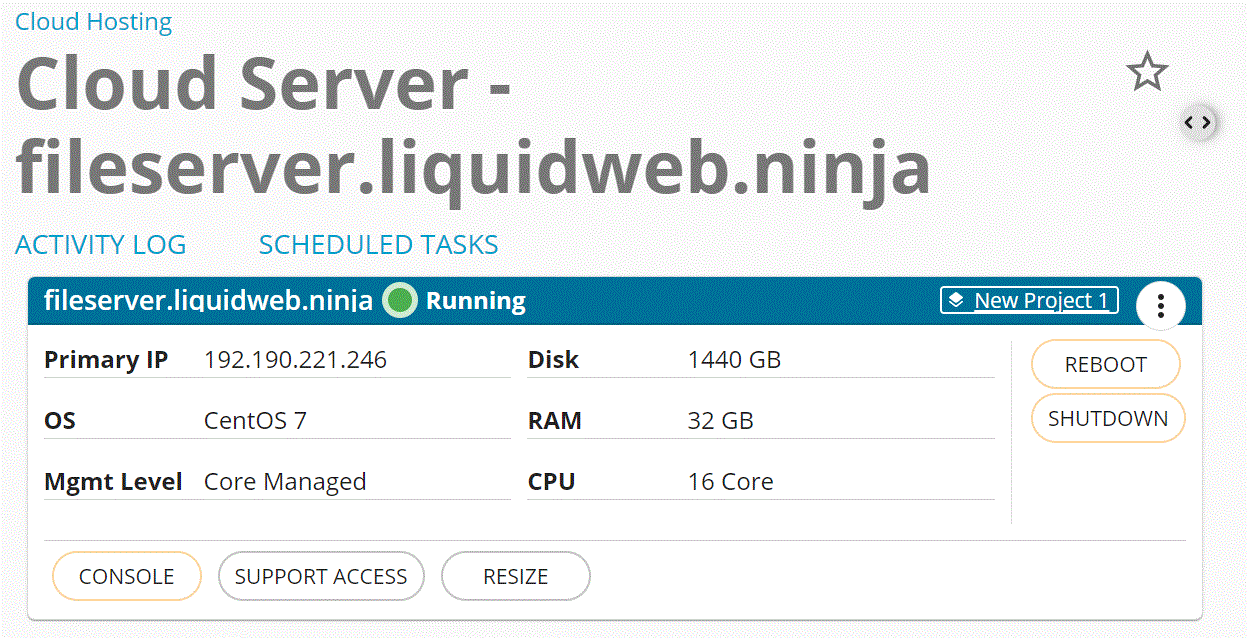
On this page, click on the SUPPORT ACCESS button.
Once there, you will have the option to update the current servers’ password to allow Liquid Web support to gain access to work on the server.
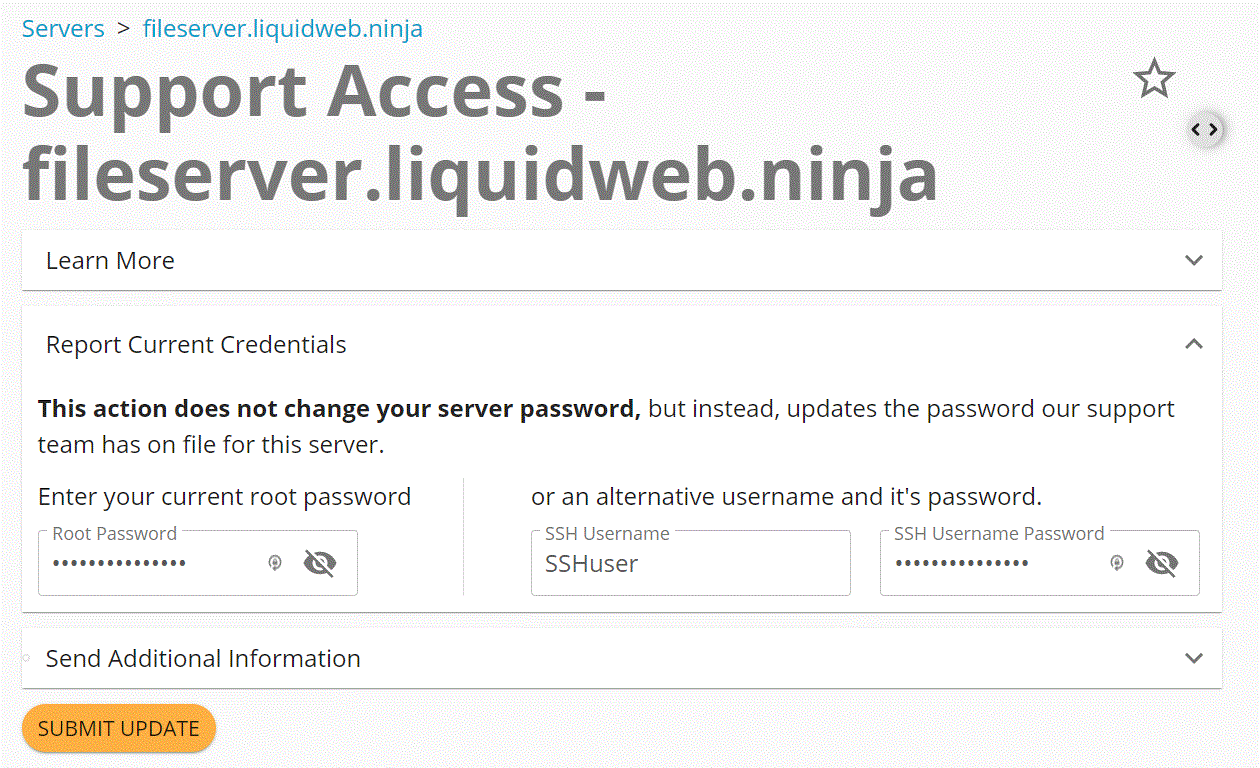
Once you enter the new password, click on SUBMIT UPDATE.
If you have other information that will help a support technician when logging into your server, you can put that in the Send Additional Information section by clicking on the down arrow on the right-hand side. This will open a new section which let you update us with additional login information.
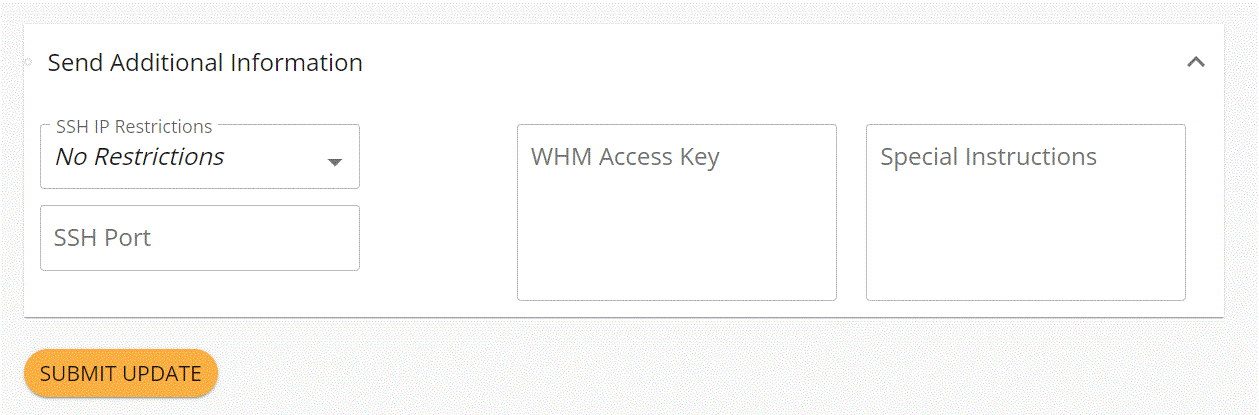
Here you can let Liquid Web’s Support know:
- The SSH port, if it has changed from the default of 22.
- If SSH login as root has been disabled completely, and if so, information for a sudo enabled user.
- Any special instructions you would like us to be aware of when supporting your server.
If your server has special support needs that cannot be covered here, please do not hesitate to contact our support at the information below.
===
Liquid Web’s Heroic Support is always available to assist customers with this or any other issue. If you need our assistance please contact us:
Toll Free 1.800.580.4985
International 517.322.0434
support@liquidweb.com
https://my.liquidweb.com/
Related Articles:


About the Author: David Singer
I am a g33k, Linux blogger, developer, student, and former Tech Writer for Liquidweb.com. My passion for all things tech drives my hunt for all the coolz. I often need a vacation after I get back from vacation....


Our Sales and Support teams are available 24 hours by phone or e-mail to assist.
Latest Articles
How to use kill commands in Linux
Read ArticleChange cPanel password from WebHost Manager (WHM)
Read ArticleChange cPanel password from WebHost Manager (WHM)
Read ArticleChange cPanel password from WebHost Manager (WHM)
Read ArticleChange the root password in WebHost Manager (WHM)
Read Article